
The most popular WordPress SEO advice starts with the wrong question: which SEO plugin should you install? Plugins can help you manage titles, canonicals, XML sitemaps and structured data, but they don't make a weak website rank. WordPress and SEO performance depend on how the site is built, templated, linked, written and maintained.
I'm Will, a UK SEO and website consultant. After ten years of fixing websites and working on builds, I've seen the same pattern repeatedly. A site has a capable plugin, yet its theme loads unnecessary scripts, its archive pages create duplication, its important content sits several clicks from the homepage, and its editors publish pages that damage performance.
WordPress has a large UK footprint. One independent 2026 compilation estimates about 1,362,281 WordPress websites in the United Kingdom, while another report puts WordPress at roughly 45% CMS share in the UK, equivalent to more than 4.5 million active websites. Those figures come from Envisagedigital's WordPress market-share compilation. The platform matters because so many UK publishers, brands and ecommerce businesses use it, but the CMS badge itself isn't a ranking signal.
Table of Contents
- WordPress and SEO What Actually Determines Rankings
- How WordPress Helps and Hinders Search Performance
- Essential Technical Setup for WordPress SEO
- Themes Plugins and Performance That Passes Core Web Vitals
- Site Architecture Internal Links and Schema in WordPress
- Content Workflows That Keep WordPress SEO Intact After Launch
- Putting It All Together Your WordPress SEO Priorities
WordPress and SEO What Actually Determines Rankings
WordPress itself does not determine rankings. The build does. It can publish a fast, logically structured site, or generate duplicated templates, bloated code and URLs that serve little purpose. Google evaluates the pages it can access, render and understand, not the CMS that produced them.
I prioritise implementation before plugin selection. A useful WordPress setup gives Google clear crawl paths, reliable rendering, meaningful page relationships and content that answers a searcher's need. That depends on the theme, hosting environment, JavaScript, image handling, internal links, headings, metadata and editorial process working together.
The plugin is only one control surface. It may help configure titles, canonicals, XML sitemaps or structured data, but it cannot decide whether an archive deserves indexing, whether a template loads unnecessary scripts, or whether an article contains evidence worth citing.
UK search makes this work particularly important. Google accounted for 91.17% of UK search in May 2026, according to Envisagedigital's UK market data. A separate StatCounter measurement recorded Google at 91.75% in August 2026, with Bing at 5.67%, Yahoo at 1.25%, DuckDuckGo at 0.71% and Ecosia at 0.30%, as reported in the UK SEO Industry Report 2026. Google is therefore the main technical and editorial audience for a UK WordPress site.
What Google can evaluate on a WordPress site
Google can assess:
- Crawlability, including links, sitemaps, robots.txt and server responses.
- Indexability, including noindex controls and canonical signals.
- Page experience, including real-user Core Web Vitals.
- Content relevance, meaning whether the page clearly matches search intent.
- Site structure, including headings, internal links and related entities.
- Structured data, where markup accurately describes the page.
- Trust and usefulness, shown through authorship, evidence and practical experience.
The same foundations affect visibility in AI answer layers. A page with precise claims, clear sections and supporting evidence is easier for systems to interpret and cite. Citation-worthiness starts in the content workflow, not in a plugin setting.
Practical rule: Treat the plugin as an interface for SEO controls, not as the SEO strategy.
Prioritise the build, templates, information architecture and publishing checks. Plugin configuration supports those decisions, but it cannot replace them.
How WordPress Helps and Hinders Search Performance
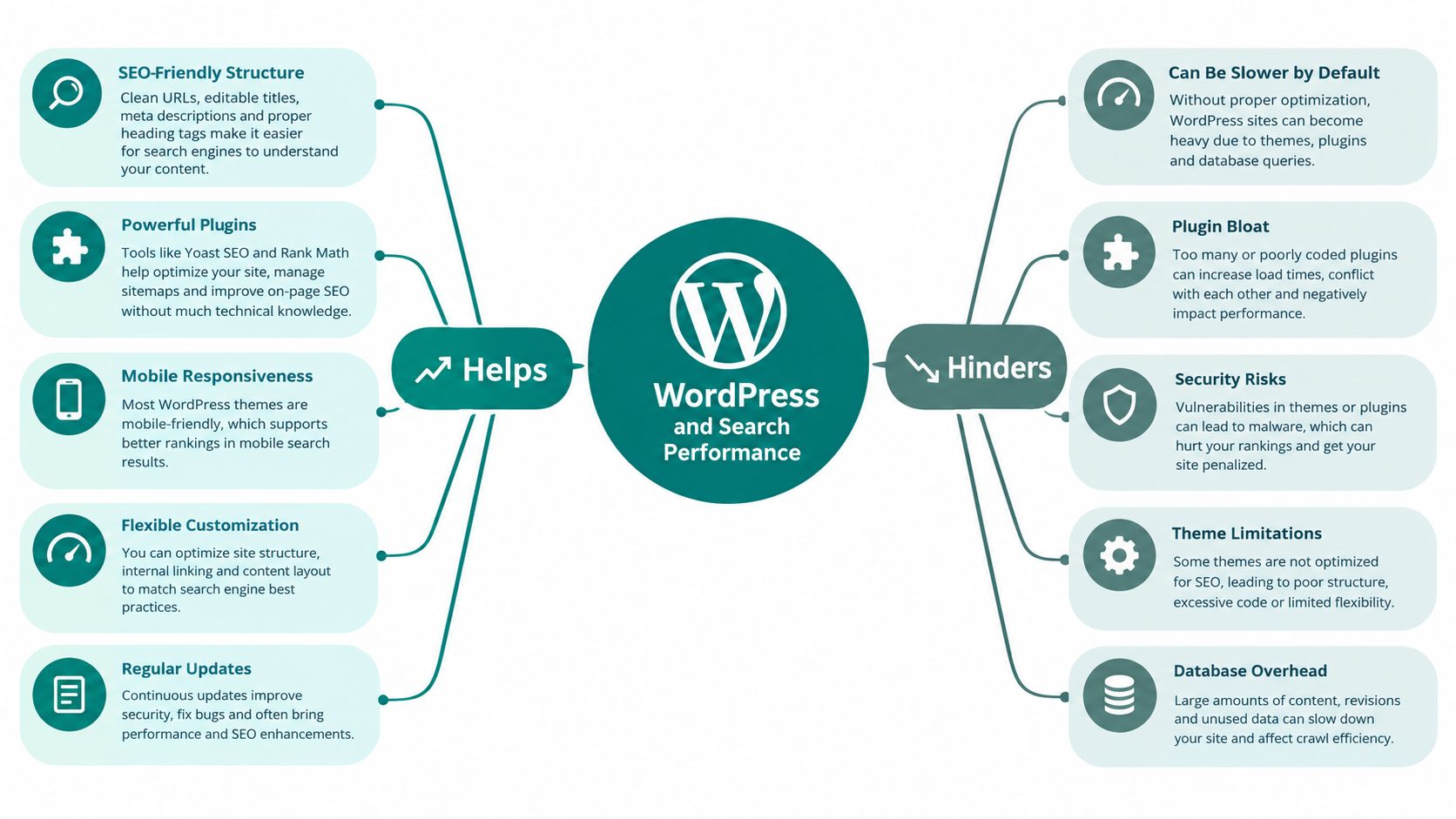
Think of WordPress as a printing press. The editor supplies the words and images, the theme supplies the page mould, and plugins attach extra machinery. If the mould produces clean pages and the machinery only does necessary work, Google receives a coherent website. If every feature adds its own scripts, templates and archive pages, the press keeps producing clutter.
WordPress helps because it gives teams a practical publishing system. Editors can create semantic headings, descriptive URLs and consistent templates without editing every page by hand. Developers can control post types, taxonomies, canonical output and structured data. Mature SEO plugins can also make routine settings accessible to non-technical users.
The same flexibility creates risk. A theme may include a page builder, animation library, sliders, web fonts and several tracking integrations before an editor has added any content. Plugins may load assets on every page, even when a feature is used only once. Categories, tags, author archives, date archives and search results can also expose overlapping versions of the same information.
The useful output
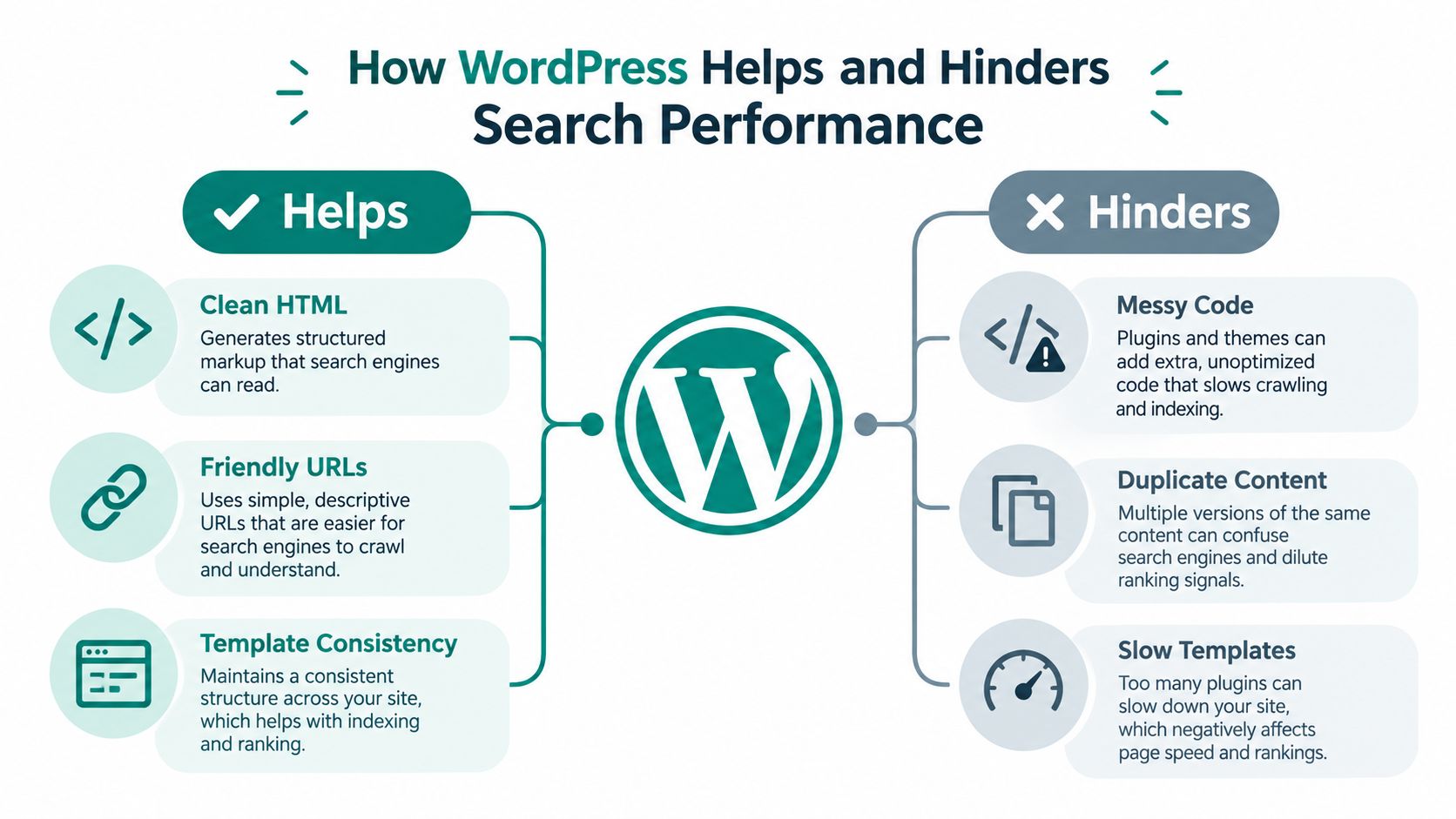
A well-built WordPress site gives Google:
- Readable HTML, with headings and content in the document rather than hidden behind unnecessary interactions.
- Stable templates, so similar pages follow a predictable structure.
- Descriptive URLs, which help users understand where a page belongs.
- Consistent navigation, allowing important pages to be discovered through links.
- Manageable content types, so service pages, articles, products and locations have suitable fields and templates.
These strengths don't appear automatically. The developer has to configure them, and the content team has to use them consistently.
The output that creates drag
The most damaging decisions tend to be architectural rather than cosmetic. A visually impressive homepage doesn't compensate for a service template that shifts as it loads, an article archive with no distinct purpose, or a plugin that adds scripts across the entire site.
I also avoid treating every SEO plugin recommendation as mandatory. A green indicator may confirm that a keyword appears in a title, but it won't confirm that the page satisfies the search intent or supports the site's commercial journey. Plugin guidance is useful for reminders. It isn't a substitute for judgement.
The right assessment is simple: open the rendered page, inspect the HTML, review the links, test the mobile experience and check which URLs Google can find. WordPress gives you control, but it also gives you enough control to create a mess.
Essential Technical Setup for WordPress SEO
I configure a WordPress site in build order. That prevents a common problem where a team polishes metadata while the site remains blocked, inconsistently canonicalised or difficult to crawl.
Start with access and indexation
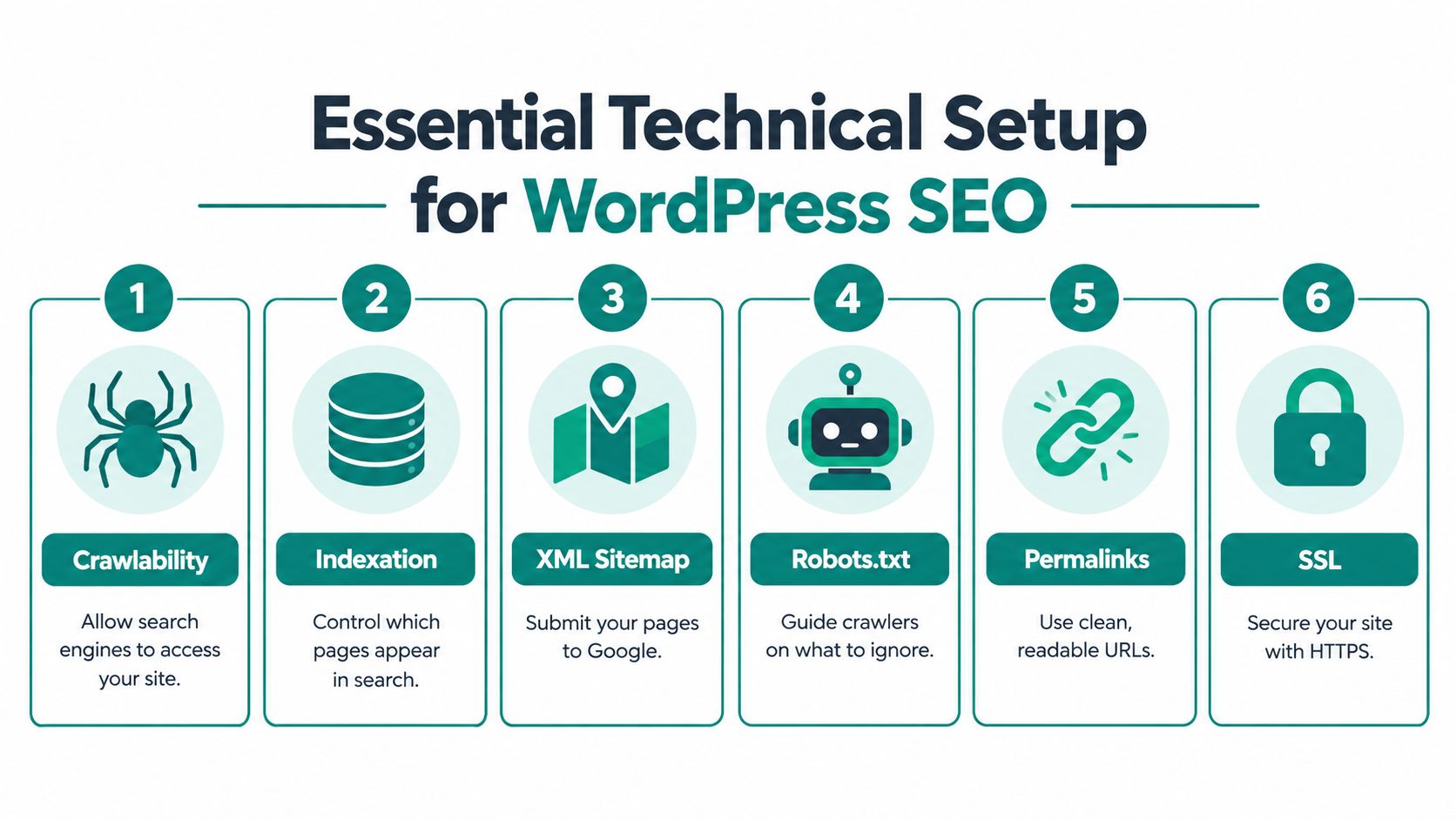
First, confirm that the live site is available over HTTPS and that WordPress isn't still set to discourage search engines. The setting under Settings, Reading can block indexing while a site is in development. That's sensible on a staging environment, but it must be checked before launch.
Next, review robots.txt and any noindex rules. Robots.txt controls crawler access. A noindex directive controls whether a permitted page should enter the index. They serve different purposes, so don't use one as a substitute for the other.
Set permalinks to a clear structure before publication. Short, descriptive slugs are easier for users to interpret and reduce the chance of creating awkward URL patterns. On an established site, changing URLs requires a proper redirect and internal-link review, so I don't alter the structure casually.
For a broader explanation of crawl access, indexation and technical controls, see what technical SEO involves.
Control canonical URLs and sitemaps
Each indexable page should identify its preferred URL through a canonical link element. Canonicals help consolidate signals when similar URLs exist, but they aren't a licence to ignore duplicate templates. I still remove unnecessary archives and parameter variations where they add no value.
Google's sitemap guidance says each site should have one or more sitemaps containing URLs from that particular site, and the sitemap can be submitted in Search Console or referenced in robots.txt with a line such as Sitemap: https://example.com/my_sitemap.xml. The rule is covered in Google sitemap guidance. Keep the sitemap limited to URLs you want Google to discover and consider.
Verify the site in Search Console before launch, then inspect the sitemap and key URLs. Search Console gives you the evidence needed to distinguish a crawl issue from a content issue. If publishing or updating content involves several systems, a resource such as the Writingmate WordPress automation tool can help connect WordPress workflows with other services, but automation should never publish unchecked pages or metadata.
Check the live result, not only the dashboard
After launch, test:
- Homepage and primary templates, including services, articles, products and contact pages.
- Canonical tags, checking that they point to the intended live URL.
- XML sitemaps, confirming they load and contain relevant indexable URLs.
- Robots.txt, making sure important paths aren't blocked.
- Redirects, especially after a migration or permalink change.
- Search Console inspection, to see how Google reads selected pages.
A clean technical setup doesn't create relevance by itself. It removes barriers so the content and templates have a fair chance to perform.
Themes Plugins and Performance That Passes Core Web Vitals
A WordPress theme is an SEO decision because it controls what every page template sends to the browser. Plugins are also SEO decisions when they add CSS, JavaScript, fonts, embeds or database work outside the pages where those features are needed.
Google's Core Web Vitals documentation recommends these 75th percentile thresholds for a page to qualify as good:
| Metric | Good threshold | Common WordPress cause | Fix to apply |
|---|---|---|---|
| LCP | 2.5 seconds or less | Large hero image, render-blocking CSS or slow template output | Optimise and preload the LCP image, reduce blocking resources and improve server output |
| INP | Less than 200 milliseconds | Heavy JavaScript, page builders and excessive third-party scripts | Remove unused scripts, reduce event work and defer non-essential features |
| CLS | Less than 0.1 | Images, fonts, adverts or embeds without reserved space | Set dimensions and reserve layout space before content loads |
These are real-user measures, not just lab scores. A page can look acceptable in Lighthouse and still fail when visitors load it on ordinary mobile connections or interact with a script-heavy template.
Choose the theme by its output
I inspect the rendered HTML and network requests before approving a theme. A lean block-based build may be easier to govern than a visual theme that includes every possible feature. That doesn't mean every page builder is unusable. It means the team must understand what its templates load and whether those assets appear where they're needed.
The LCP image deserves specific attention. It should be correctly sized, compressed, served in a modern format where appropriate, and loaded early enough to appear quickly. Don't lazy-load the image that defines the first screen. For layout stability, reserve dimensions for images, videos, fonts and embeds before the browser receives them.
For a plain-language introduction, what are Core Web Vitals is a useful supporting resource. I also keep Google's Core Web Vitals explained guidance available when a client needs the measures translated into implementation tasks.
Govern plugins as production code
Before installing a plugin, ask what job it performs, where it loads assets and whether the theme or existing stack already provides the feature. Remove abandoned or duplicated tools, and record the reason for every plugin that remains.
Search Console's Core Web Vitals report groups URLs by status, metric type and URL group, classifying them as Poor, Need improvement or Good for LCP, INP and CLS, as described in Google's Search Console documentation. That grouping is more useful than a single homepage score because it can reveal a problem shared by every article template or product page.
The target isn't a perfect lab score. The target is a maintained WordPress system that passes real-user thresholds after editors add content, developers update components and marketing teams introduce new embeds.
A short visual explanation of performance work can help non-technical stakeholders understand why template changes matter.
Site Architecture Internal Links and Schema in WordPress
Search engines need more than access. They need a clear explanation of what each page means, how pages relate to one another and which topics the site is qualified to discuss.
I start with the content model. A local service business might need service pages, location pages and practical guides. A publisher might need articles grouped by meaningful subjects. An ecommerce site needs products and categories that reflect how people browse and compare, not every internal merchandising label the business uses.
Give each archive a job
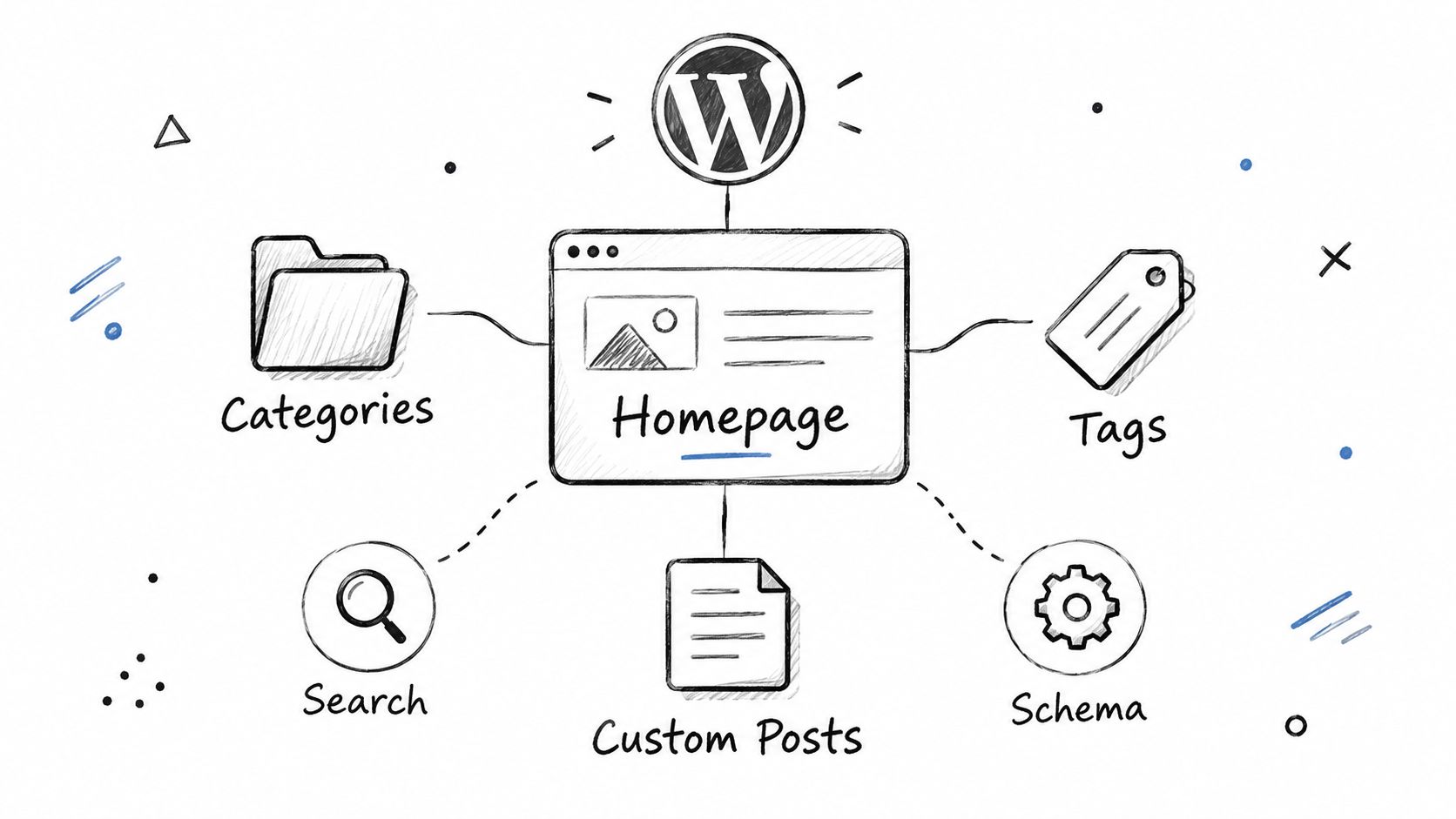
Categories, tags and custom post types should exist because they help users discover a meaningful group of pages. If an archive contains one weak entry, repeats another archive's text or exists only because WordPress makes it easy to create, it probably shouldn't be indexable.
I prefer a small number of purposeful taxonomies over a large tag cloud. Each important archive needs a distinct title, useful introductory context and a sensible list of related pages. If it can't provide that, keep it out of search and link users to stronger destinations.
Internal links should follow the reader's next question. An article about choosing a WordPress theme might link to a guide about performance, a technical service page or a relevant rebuild page. Use descriptive anchor text, not repeated “read more” links, so the destination is clear to people and search systems.
An internal linking audit can identify orphaned pages, weakly linked commercial URLs and clusters where one article receives all the attention while related pages remain isolated.
Make structured data complete and accurate
Schema should describe what the page contains. Article pages may need fields such as headline, author, date published, date modified, image and publisher details, where those properties apply. Google's article documentation says to add as many recommended properties as apply to the page, rather than stopping at a bare minimum set. That practical rule is set out in Google Search Console and structured data guidance.
Don't add review, FAQ or product markup merely to chase a rich result. A template should output the appropriate schema for its content type, and editors should have the fields needed to keep it accurate.
This structure also supports AI-mediated discovery. Answer layers need clear entities, explicit relationships and concise claims. A page that identifies its author, subject, publication context, supporting evidence and related pages is easier to interpret than a page built from vague headings and isolated keywords.
Content Workflows That Keep WordPress SEO Intact After Launch
Most SEO regressions happen during ordinary publishing. An editor uploads a full-size photograph, a developer adds an embed globally, a writer skips the internal-link field, or an update replaces a carefully tested block pattern.
I prevent that by making SEO part of the publishing workflow rather than a final review. A content brief records the page's intended search need, primary answer, supporting questions and related pages. The writer then builds the article with one clear heading hierarchy, short explanatory sections and links that help the reader.
A practical publishing routine
Before publication, the editor checks:
- The title and slug: They describe the page accurately and avoid unnecessary wording.
- The opening answer: The page addresses the searcher's main question without forcing them to scroll.
- Headings: They reflect the information hierarchy rather than styling choices.
- Images: Files are appropriately sized, meaningful filenames are used and alt text describes the image's purpose.
- Internal links: Important related pages receive relevant links from the new content.
- Schema fields: Author, dates, images and content type match the visible page.
- Embeds and scripts: The page includes only the features it needs.
I also protect reusable block patterns. If every editor builds a callout box differently, templates become difficult to maintain and content quality varies. A controlled block pattern keeps markup consistent without preventing writers from explaining the subject naturally.
Monitor templates after changes
Search Console's URL grouping makes it possible to compare performance problems across similar page types. If a new article template moves many URLs into “Need improvement” for LCP, that's a development issue, not a reason to edit each article individually.
The same principle applies to plugin updates. Test updates on a staging copy where possible, then inspect representative pages after release. Check the homepage, a commercial page, a recent article and any template that carries important search demand.
WordPress SEO is therefore an operating process. The build creates the conditions for performance, while the editorial and development teams preserve them.
Putting It All Together Your WordPress SEO Priorities
WordPress SEO works when technical access, template quality and useful content reinforce one another. A plugin can support that system, but it can't replace it.
I prioritise the work in this order:
- Make important pages accessible and indexable. Check HTTPS, visibility settings, robots.txt, canonicals and redirects.
- Give Google a clean map. Verify Search Console and maintain a sitemap containing the site's intended URLs.
- Fix shared template problems. Use real-user Core Web Vitals data to find patterns across articles, services, products or other page groups.
- Simplify the content model. Keep categories, tags and custom post types only when they help users find distinct information.
- Strengthen links and meaning. Connect related pages with descriptive anchors and apply accurate, complete schema where it fits.
- Make publishing safe. Govern images, embeds, scripts, block patterns, metadata and plugin changes after launch.
Measure progress in plain English. Record which URLs became indexable, which template changed, which performance group improved and which content cluster gained clearer internal support. Don't report a plugin score as an outcome.
For complex rebuilds, involve senior implementation help before development starts. The most expensive SEO issues are usually baked into templates, URL structures and content models that weren't agreed early.
Sibley Digital provides senior technical, on-page and content-led SEO for WordPress sites, alongside search-ready website builds and Search Console-based reporting. If your site needs a rebuild, an implementation plan or a practical review of performance and structure, visit Sibley Digital to discuss the next step.