
The best starting point depends on the audit job: use a native export for speed, a search-data template for visibility opportunities, or a custom Google Sheets framework when the report must combine tools, business impact and delivery tracking. The right SEO audit report template turns findings into assigned work, rather than leaving a client with a long list of errors.
That distinction matters because no single template suits every website or stakeholder. A developer needs reproducible evidence and clear remediation steps. A marketing director needs impact, priorities and measurement. An agency may need a portable workbook that combines Screaming Frog, Google Search Console, GA4 and manual review without rebuilding the report each time.
I've judged the seven resources below by the job they perform: data source, audit coverage, prioritisation, customisation, implementation effort and suitability for client reporting. Native exports are usually faster, but they can be narrow. Custom Sheets frameworks take longer to build, but they're better when several tools and teams must work from one roadmap. You can also browse audit templates for service businesses if your reporting needs to reflect local or service-led websites.
Table of Contents
- 1. Moz SEO Audit Report Template
- 2. Screaming Frog SEO Spider Report Export Template
- 3. Google Search Console Data Audit Template
- 4. HubSpot SEO Audit Template
- 5. Ahrefs SEO Audit Report Template
- 6. Yoast SEO Audit Report Template
- 7. Custom Google Sheets Audit Framework
- Top 7 SEO Audit Report Templates Compared
- Turn the Template into a Working Roadmap
1. Moz SEO Audit Report Template
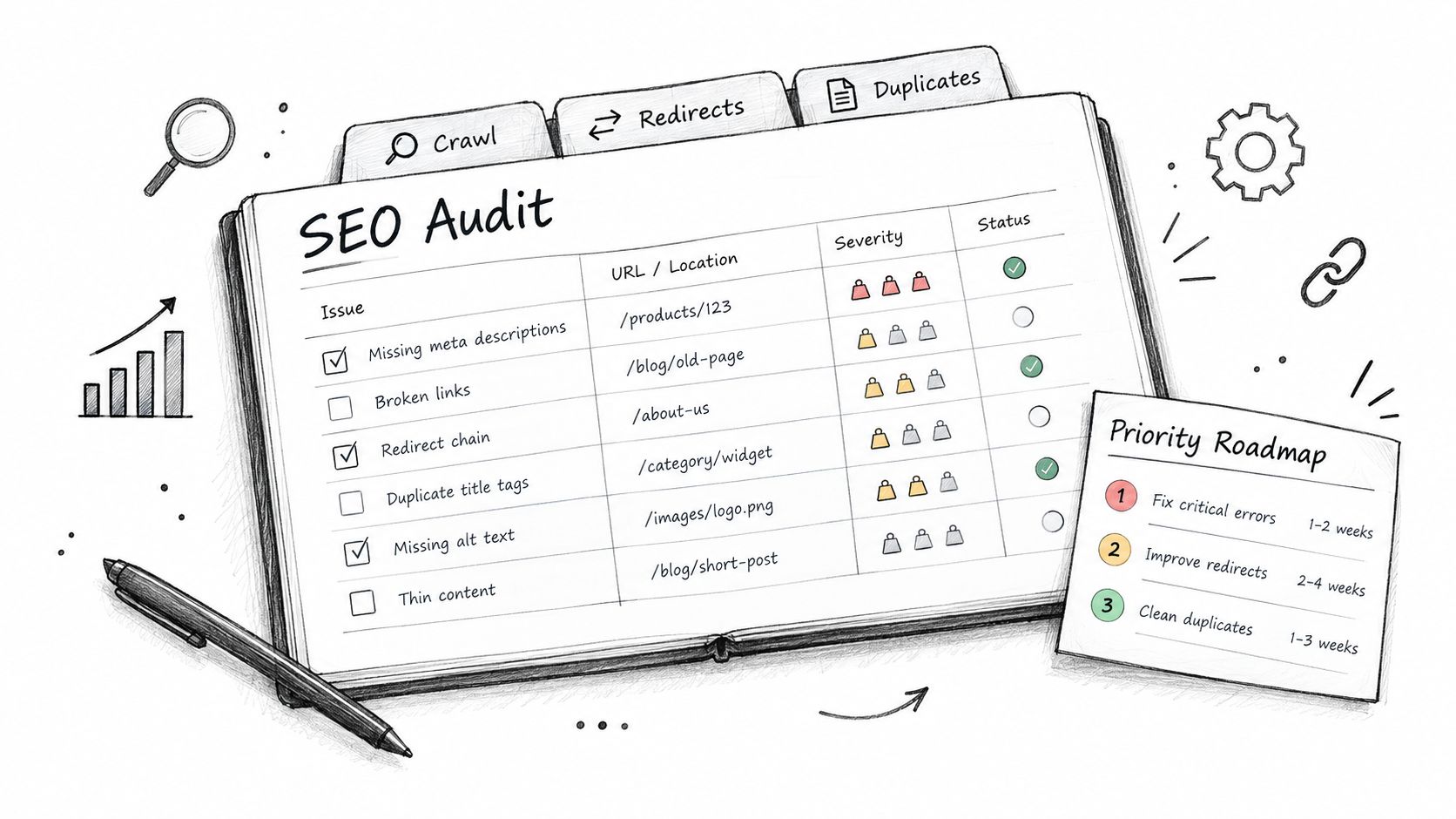
Moz's downloadable spreadsheet works well when you need a structured place to record technical SEO, on-page and link findings alongside a crawl. It's most useful as a working document rather than a polished final report, because the workbook gives consultants room to add evidence, context and implementation notes.
The natural pairing is Moz Site Crawl. Crawl errors, redirect chains, duplicate content and page-level metrics can be captured in one place, then grouped by severity and remediation priority. That saves time compared with copying isolated findings into a presentation after the crawl has finished.
Where Moz fits best
Use it for a site where the audit needs a clear technical backbone and the development team expects issue-level detail. A mid-sized ecommerce site, for example, might use the workbook to log duplicate product descriptions across category filters, then track canonical tag changes through successive development sprints.
That example is useful because the spreadsheet's value isn't the finding itself. Duplicate content is easy to identify. The harder work is recording the affected URL pattern, explaining the risk, naming the proposed fix and confirming when the fix has been deployed.
Add an Effort vs. Impact field if the default structure doesn't make the trade-off clear. Clients often understand that a problem matters, but they still need to know whether it should displace other development work.
Practical rule: Populate the workbook during the crawl, not several weeks afterwards. The website may change, and stale findings make the final roadmap less reliable.
The prioritisation sheet can become the client-facing action plan. Keep the detailed evidence for specialists, then turn the highest-value findings into plain-English tasks with an owner, deadline and verification method. Moz is less suitable when the audit is primarily about search demand, GA4 outcomes or content opportunities, because you'll need to add those inputs yourself.
2. Screaming Frog SEO Spider Report Export Template
Screaming Frog is the strongest choice when the job is a crawl-led technical audit and you need to move from a summary finding to the exact URLs behind it. Its built-in reporting exports organise crawl data around on-page factors, internal links and crawl health, so the report starts with the site's actual response and markup rather than assumptions.
The export is particularly useful for XML sitemap errors, canonicalisation and hreflang checks. A publisher reviewing a large archive can export missing or duplicate metadata, filter the affected URLs and hand a focused file to the CMS team instead of asking developers to interpret a screenshot.
Use the export as evidence, not the finished report
A native export tells you what the crawler found. It doesn't automatically explain which issue matters most to revenue, leads or editorial priorities. That judgement still belongs in the report.
The Response Codes report deserves careful handling. Separate 404s, 301s and soft 404s because they represent different problems and need different fixes. A genuine deleted page may need a replacement or a useful 404 experience. A redirect chain needs cleanup. A soft 404 may need content, a redirect or a more accurate status response.
Run a fresh crawl after material site changes. Historical crawl data can help identify patterns, but it shouldn't replace current evidence when a client is deciding what to fix next.
A crawl export is excellent at proving that a problem exists. It's poor at deciding whether the problem deserves this sprint.
For internal linking work, compare crawl depth and internal link counts with inbound links from the same project's link data. Pages can have external authority but weak internal visibility, or strong internal links but no meaningful search demand. The export is also a practical handover for developers, provided every finding includes the affected URL pattern and the intended outcome.
For a broader explanation of the technical checks that belong around a crawl, see this guide to what a technical SEO audit covers. Screaming Frog is fast and precise, but it won't replace Search Console, analytics or manual review.
3. Google Search Console Data Audit Template
A Google Sheets template built around Google Search Console starts with the most important question: what is Google showing and recording for this website? That makes it a strong option for audits focused on search performance, indexation, content alignment and opportunities hidden in impressions.
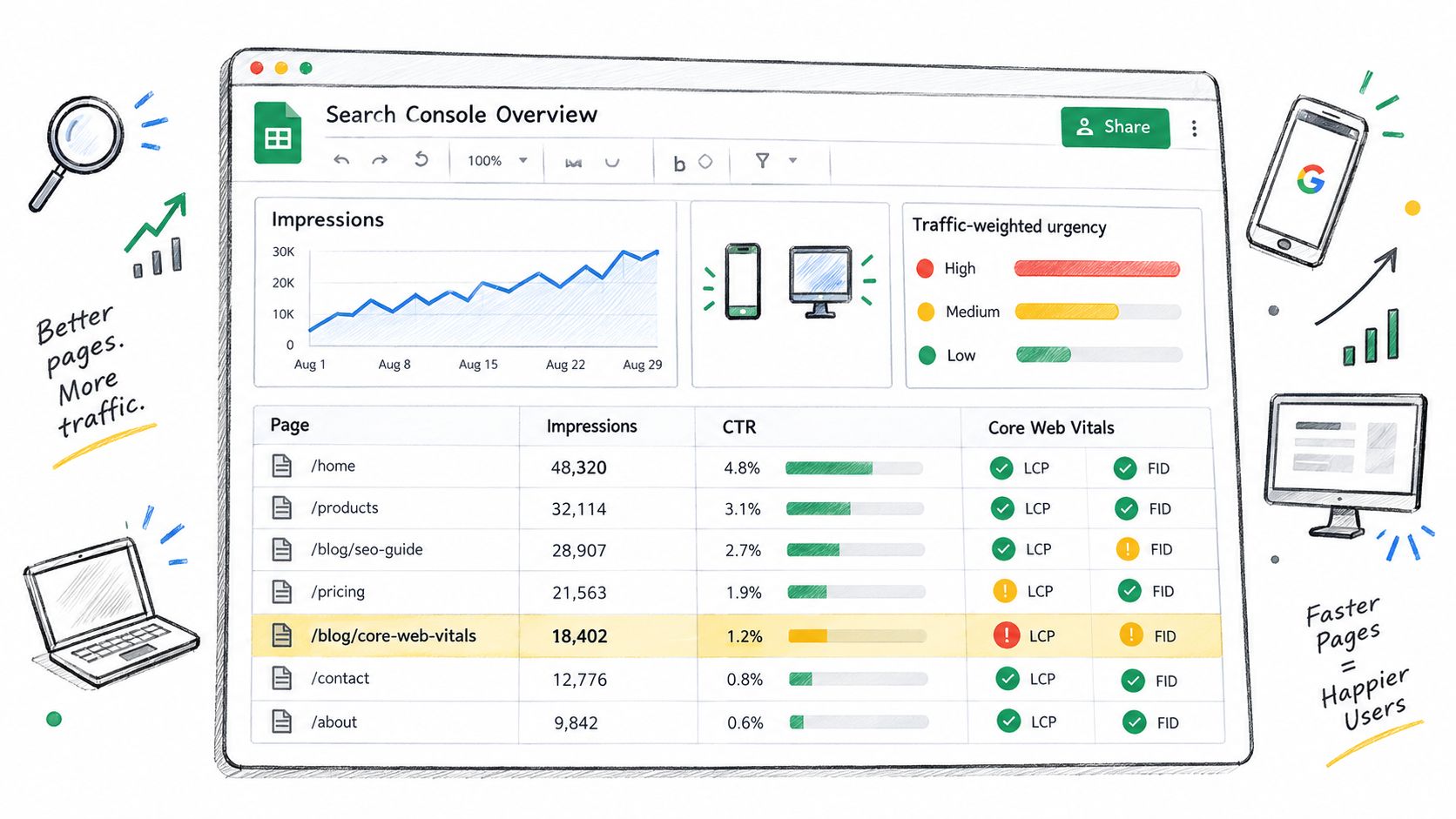
Use the Sheets connector or manual exports to build separate tabs for queries, pages, indexation and Core Web Vitals. Pair the search data with GA4 so the report can distinguish a page that attracts visibility from one that contributes meaningful engagement or conversions.
Turn impressions into decisions
Google defines a Search Console click as a click from a Google search result that lands on the property. An impression is recorded when the user visits the search results page, even if the result wasn't scrolled into view, as explained in Google's Performance report definitions. Your template should therefore keep visibility and traffic in separate columns.
A useful workflow is to filter pages with substantial impressions and weak click-through rates, then review the query, ranking context, title and snippet manually. Don't make the threshold the strategy. A page with low CTR may be poorly aligned with the query, competing with a SERP feature or targeting a term where the search result answers the question directly.
Search Console also provides a useful reality check for coverage issues. A technically broken URL with no search exposure may be less urgent than a URL that previously supported an important landing page. That's why the action register should include business relevance, not just error status.
Add a historical layer
Export performance data regularly and keep a separate archive. Search Console's default views are useful for investigation, but a report needs a stable baseline if you're going to show whether clicks, impressions, CTR and average position changed after implementation.
This template is less suitable as a stand-alone technical audit. It won't explain every crawl or rendering issue, and it needs careful joining with GA4 data. Used properly, though, it keeps the audit close to actual search behaviour rather than a generic checklist.
4. HubSpot SEO Audit Template
HubSpot's native template makes sense for organisations already using HubSpot CMS and wanting an editorial audit without adding a separate crawler to the process. It works from the content database, so writers and editors can see issues around title tags, meta descriptions, heading structure, internal linking and readability close to where they publish pages.
That proximity is its main strength. A content team can identify a page problem and act in the same platform. It reduces the handover between SEO and editorial staff, particularly for smaller organisations without dedicated technical SEO resource.
The trade-off is scope
HubSpot's approach is content-led. It's useful for reviewing published pages, but it shouldn't be presented as a complete audit of crawlability, indexability, server responses, structured data or complex migrations. If those risks matter, combine the platform review with a crawler and Search Console.
Run the review on a sensible cadence rather than constantly reacting to small recommendations. Quarterly is often more practical for a content team because titles, internal links and page structure need time to be tested against search and user behaviour.
Use HubSpot's internal linking suggestions as prompts, not automatic instructions. A related article may be topically similar but still be the wrong next step for the reader. Check the page purpose, anchor wording and journey before adding the link.
Pair readability guidance with GA4 engagement data. A score alone can encourage awkward writing, excessive short sentences or changes that make copy less useful. The report should explain whether a recommendation improves comprehension, search alignment or both.
The HubSpot template suits content managers and marketing teams more than developers. Its findings become actionable when each page task includes the target query or audience need, the proposed change, the person responsible and the date for review.
It's a good platform-specific starting point, but portability is limited. Moving the same workflow to WordPress, Shopify or a custom React site will require a different evidence-gathering process.
5. Ahrefs SEO Audit Report Template
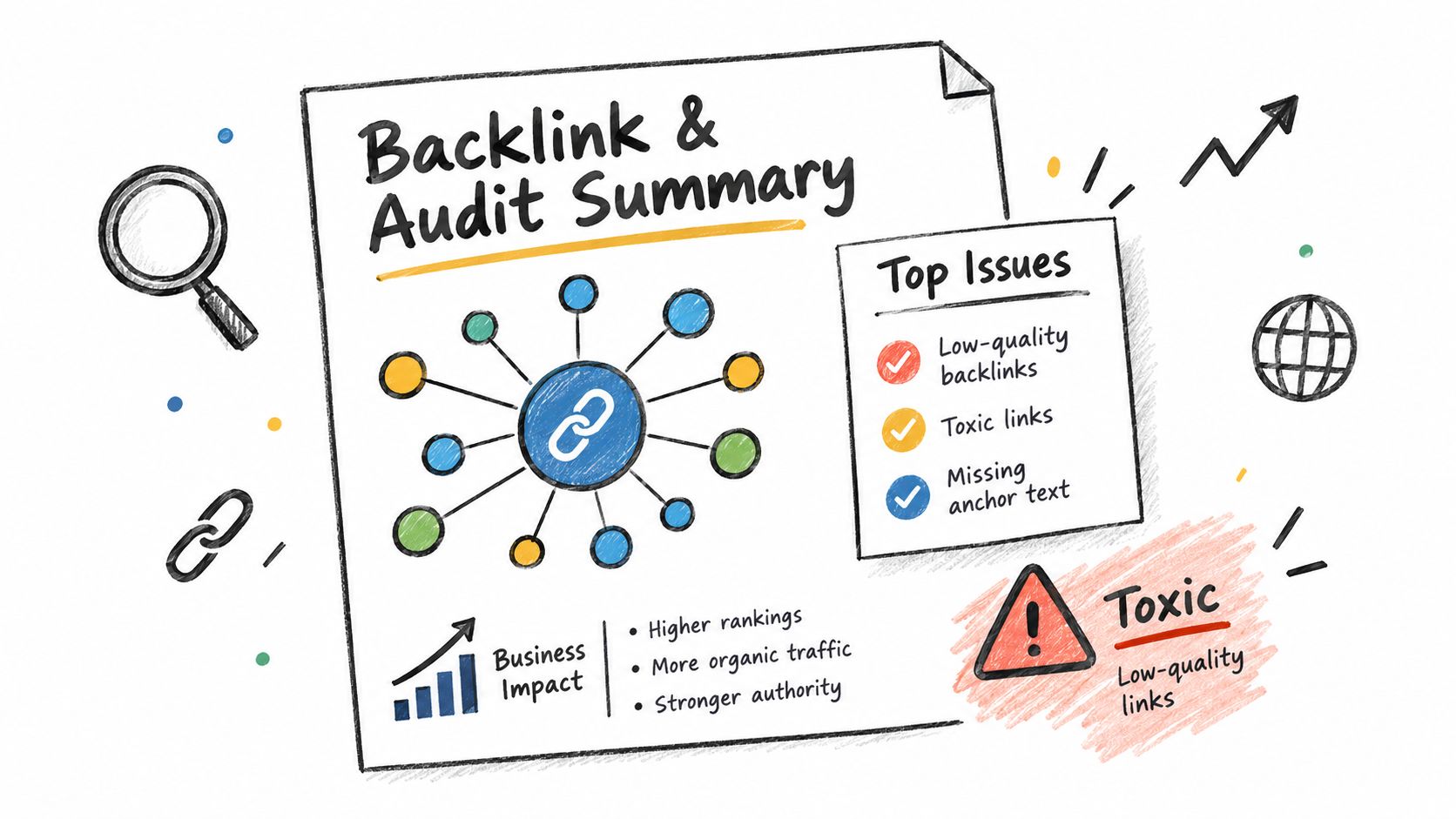
Ahrefs' multi-page summary sheet is strongest when backlinks and technical findings need to sit in the same client conversation. It can bring together Site Audit issues, broken backlinks and competitive link intelligence in a format that's easier for non-specialists to read than a raw export.
The report should distinguish between link quantity and link usefulness. A broken backlink from an irrelevant page may be worth recording, but it shouldn't automatically outrank a lost link from a publication that sends relevant referral traffic or supports an important commercial page.
Make link findings operational
Use the Site Audit section to explain the technical issue, affected URL group and likely remedy. Use the backlink section to identify what somebody should do next. That might be a redirect request, a replacement resource, an internal linking change or a decision to leave the link alone.
A digital PR team can use the link opportunities section to brief outreach around specific publications and pages. The report becomes more useful when it includes the reason for contact, the destination URL and the asset or evidence that makes the request credible.
Link data becomes valuable when it changes a decision. A list of referring domains without an action is just another export.
Pair Ahrefs link data with Search Console performance and analytics. A backlink pointing to a page with no current search or business value may not deserve immediate recovery work. Conversely, a lost link to an important landing page may justify investigation even when the technical audit looks clean.
Review suspicious links with context rather than using a blunt removal approach. Competitive sectors often contain messy link profiles, but the report should avoid turning every unfamiliar domain into a crisis. Record the observation, explain the plausible risk and state whether action is warranted.
Ahrefs is less suitable if the client only wants an on-page editorial review. It earns its place when authority, migration recovery, digital PR and technical remediation need one shared narrative.
6. Yoast SEO Audit Report Template
Yoast's WordPress-native approach puts audit findings inside the editor, where writers and editors already work. It evaluates focus keyphrase use, internal linking, metadata and text structure through its SEO and readability guidance.
That makes it practical for a publishing site or WordPress marketing team that needs a repeatable page review. The report can identify shared target phrases, weak metadata and pages that need refreshing, consolidating or better internal connections.
Treat scores as prompts
Yoast's keyphrase density guidance shouldn't become a rigid writing target. Search engines evaluate pages in context, and a page can use a phrase frequently while still failing to answer the reader's need. Manual review remains essential for intent, originality, usefulness and the relationship between related pages.
The same applies to internal linking suggestions. Yoast can surface possible connections, but an editor should decide whether the link helps the reader and whether the anchor text describes the destination accurately.
For WordPress teams, the workflow described in this guide to WordPress and SEO is a useful companion to plugin-level checks. The plugin can help editors act quickly, but it won't provide a complete view of server performance, crawl behaviour, JavaScript rendering or wider search demand.
Use bulk review to find patterns, then sample pages manually before proposing a site-wide change. A shared focus phrase may indicate duplication, but it may also reflect several pages serving distinct stages of the journey. Consolidation should follow a content and search-intent decision, not a red warning alone.
Editor's test: If the recommendation makes the copy sound less natural, stop and review the page purpose before accepting the score.
Yoast works best as an editorial quality-control layer inside a broader audit. It's easy for content teams to use, but its findings need to leave the WordPress editor and enter a roadmap with owners, deadlines and measurement.
7. Custom Google Sheets Audit Framework
A custom Google Sheets framework is the most portable option when the audit must combine Screaming Frog, Search Console, GA4, platform exports and manual judgement. It isn't the quickest template to create, but it can become the central action register for consultants and agencies working across different CMSs and tool stacks.
The important design decision is to avoid collecting every possible metric. A useful framework accepts the evidence required to make a decision, then translates it into one prioritised list. Each row should describe the issue, affected pages, evidence, business impact, effort, owner, deadline, status and verification method.
Build around the bottleneck
If reporting takes too long because exports are being reconciled manually, automate the input and standardise column names. If developers ignore reports because the recommendations are vague, focus on acceptance criteria and implementation detail instead.
Formula-driven scoring can help sort work by traffic impact, fix effort and business priority. It shouldn't hide judgement. A low-effort technical fix may be urgent even when the affected pages have limited traffic, while a large content project may need a separate business case.
Version control matters. Keep a standard copy for new clients, preserve the original template and record changes to formulas or priorities. Test the scoring model against completed projects and revise it when the results don't reflect what created value.
A London-based agency could deploy one framework across many client audits, but the reusable asset isn't just the spreadsheet. It's the agreed process for gathering evidence, reviewing findings, obtaining approval and checking implementation.
The best custom template is deliberately incomplete. It solves the team's biggest reporting problem without becoming another project-management system nobody maintains.
This approach is the strongest choice for mixed data and white-label work. Guidance on automated SEO reports can help shape the reporting workflow, but keep manual quality checks before anything reaches a client.
Top 7 SEO Audit Report Templates Compared
| Template | Core focus ✨ | UX / Quality ★ | Best for 👥 | Price / Value 💰 | Unique edge 🏆 |
|---|---|---|---|---|---|
| Moz SEO Audit Report Template | ✨ Crawl-centric workbook with impact-weighted prioritisation | ★★★★ Spreadsheet-friendly; needs Excel skill | 👥 Agencies using Moz & dev teams | 💰 Free template; Moz subscription often required for crawl data | 🏆 Traffic-weighted prioritisation & clear remediation tracking |
| Screaming Frog SEO Spider Report Export Template | ✨ Automated crawl exports (status codes, hreflang, page-level) | ★★★★ One-click exports; export format is rigid | 👥 Technical SEOs & large publishers | 💰 Free (500 URLs) / Paid from ~£149/yr | 🏆 Fast drill-down from summary to page-level inside tool |
| Google Search Console Data Audit Template (Sheets) | ✨ GSC performance + Core Web Vitals + CTR-focused insights | ★★★ Requires Sheets/API setup; data lag ~3 days | 👥 SEOs & product owners focused on organic performance | 💰 Free via GSC & Sheets | 🏆 Grounded in real search behaviour; traffic-weighted urgency |
| HubSpot SEO Audit Template (CMS users) | ✨ Native on-page, internal-linking & readability checks | ★★★★ Integrated in HubSpot; easy for content teams | 👥 HubSpot CMS users & marketing teams | 💰 Included for CMS Hub customers | 🏆 Contextual internal-link suggestions + in-platform batch edits |
| Ahrefs SEO Audit Report Template | ✨ Backlink health + crawl summary + competitive link intelligence | ★★★★ Client-ready summaries; tool familiarity helps | 👥 Agencies & digital PR teams | 💰 Requires Ahrefs subscription (from $99/mo) | 🏆 Combined backlink analysis with actionable outreach targets |
| Yoast SEO Audit Report Template (WordPress) | ✨ Real-time per-page SEO & readability feedback in WP editor | ★★★★★ Extremely accessible for writers/editors | 👥 WordPress content teams & publishers | 💰 Free; Premium ~£89/yr for extras | 🏆 Live editor guidance + bulk site audit dashboard |
| Custom Google Sheets Audit Framework | ✨ Multi-source inputs, weighted prioritisation & sprint roadmaps | ★★★ Flexible and portable but needs Sheets literacy | 👥 Consultants/agencies needing tool-agnostic audits | 💰 Free to build; time investment for setup/maintenance | 🏆 Traffic-weighted scoring + roadmap generator for execution |
Turn the Template into a Working Roadmap
Choose a native export when the audit is tightly tied to one tool. Screaming Frog is the practical choice for crawl evidence, Ahrefs suits backlink and technical summaries, and Moz gives you a structured workbook for findings and prioritisation. These options reduce setup effort, but they still need business context and delivery fields.
Choose a platform template when the team works mainly in one CMS. HubSpot is sensible for HubSpot editorial teams, while Yoast fits WordPress writers and editors. Their strength is adoption, because recommendations appear close to the publishing workflow. Their limitation is coverage, so don't label a content review a complete technical audit.
Choose the custom Google Sheets framework when the report must join mixed data, different website platforms and implementation tracking. It takes more effort at the start, but it gives agencies and in-house teams one place to manage evidence, decisions and progress. That's usually the right trade-off when audits need to be repeated and handed between SEO, marketing and development.
Whatever template you choose, adapt it so every important finding answers seven questions:
- Executive summary: What should the stakeholder understand first?
- Evidence: Which URL, query, crawl result or analytics view supports the finding?
- Impact: Does the issue affect discovery, rankings, traffic, conversions, accessibility or user experience?
- Effort: How difficult is the fix, and what dependency could delay it?
- Owner: Who will implement or approve the change?
- Deadline: When should the work be completed?
- Measurement: What will you check afterwards to confirm the outcome?
A report becomes useful when somebody can take the next action without asking what the recommendation means. It should also record completed work and verification, because an unresolved audit is only a diagnosis.
For organisations or agencies that need plain-English reporting and implementation support, Sibley Digital can combine technical, on-page and content analysis with a prioritised roadmap. The consultancy also provides confidential white-label delivery for agencies, including work under the agency's brand and no direct contact with end clients.
Sibley Digital can turn your chosen SEO audit report template into a practical, prioritised roadmap, combining technical evidence, search data and implementation tracking. Visit Sibley Digital to discuss plain-English SEO reporting, website work or confidential white-label support for your agency.