
Only 10% of website migrations improve rankings, and the average recovery time is 523 days. A website migration is a high-risk operation, not a tidy technical swap, so the process needs measurement controls, URL decisions and post-launch recovery work built in from the start.
The popular advice is to focus on the new design, test the templates and switch the site over on launch day. That misses the risk that matters most: how many URLs change, which URLs carry authority, and whether you can prove what happened afterwards.
A migration can look perfect in a browser while search engines encounter broken redirects, blocked pages, conflicting canonicals or an incomplete replacement for an important URL. I'm Will Sibley, a London-based SEO and website consultant, and after ten years working on migrations, rebuilds and technical SEO projects, I've found that stable outcomes come from governed process control, not optimism.
Table of Contents
- Why Most Website Migrations Fail
- Planning Your Migration for Minimal Disruption
- Setting Up Redirects and Canonical Tags
- Testing Before You Go Live
- Monitoring and Recovery Post-Launch
Why Most Website Migrations Fail
A migration can launch with a polished homepage and still lose valuable search traffic. The failure often sits deeper in the URL set, where legacy product pages, editorial content and backlink targets have not received an accurate replacement.
Consider a 5,000-URL ecommerce rebuild: the homepage can work correctly while 400 old product URLs return 404 responses because redirect mapping was incomplete. The browser experience looks finished, but search engines and users still encounter missing commercial pages.
The risk is measurable. Independent migration research cited in UK agency guidance reports that only 10% of migrations improve rankings, average recovery takes 523 days, and 17% of sites never recover even after 1,000 days. A missed redirect can therefore create a visibility problem that lasts beyond the project timetable. UK migration guidance on SEO risk and recovery
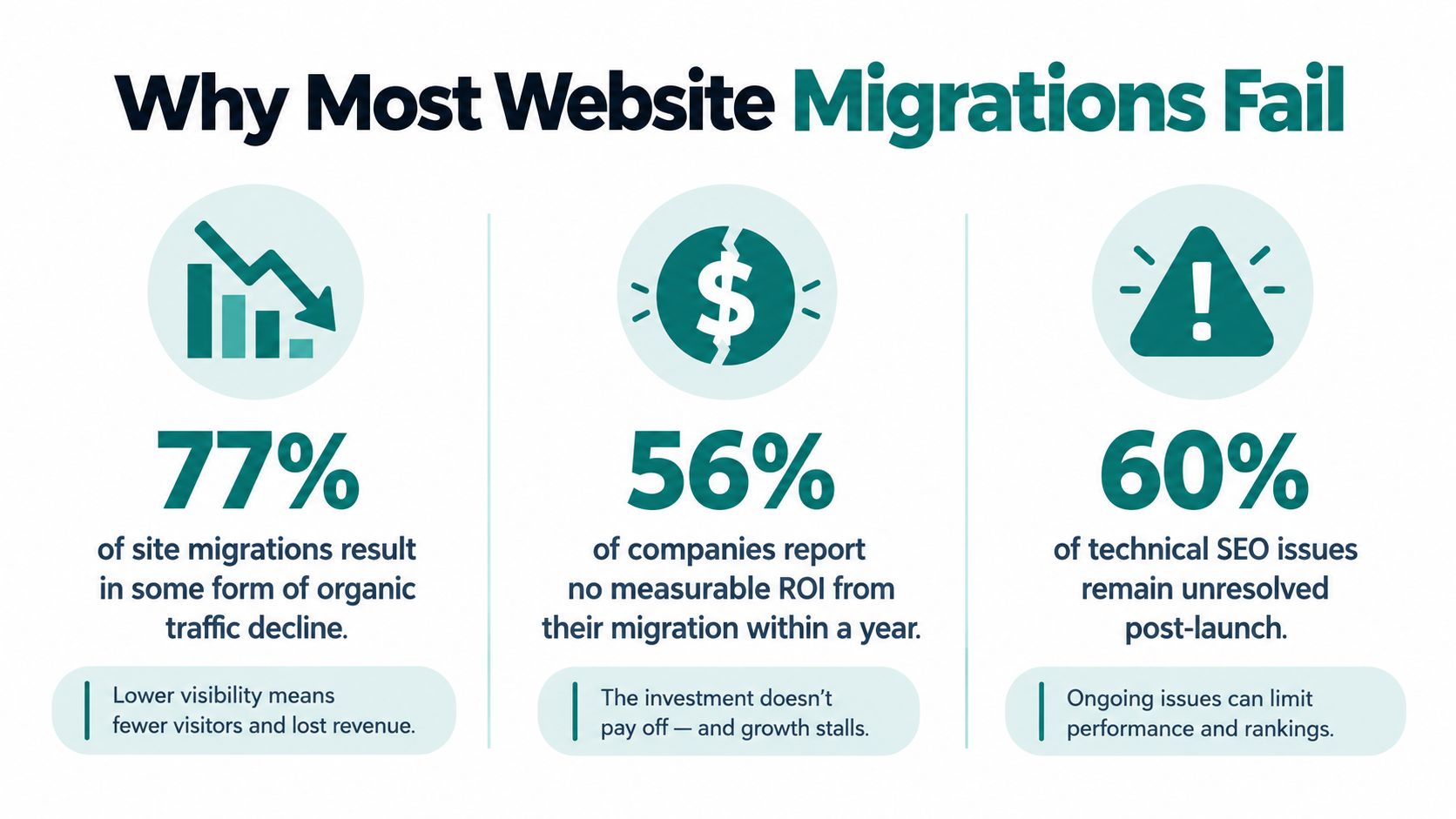
The hidden causes sit in the URL set
The recurring failure points are straightforward:
- Incomplete redirect mapping: old URLs have no relevant destination, or they lead to a generic page that fails to match the original search intent.
- Broken link equity: important pages, internal links and backlinks point to changed addresses without an accurate replacement.
- Crawl blocks: a
noindexdirective, robots.txt rule or staging setting remains active after launch and prevents discovery. - Missing measurement controls: without a pre-launch baseline, the team cannot separate migration damage from seasonality, algorithm changes or normal demand shifts.
URL volume increases exposure. Ecommerce and content-heavy sites need particular care because product variants, filtered pages, editorial archives and old landing pages often sit outside the main navigation. Each overlooked address can affect rankings, referral traffic, conversions or internal linking.
Practical rule: Treat every old URL as an asset that needs a decision, not as a row to clear from a spreadsheet.
That decision may be a one-to-one redirect, a justified consolidation, a retained page or a deliberate removal. A blanket redirect to the homepage is quick, but it rarely preserves the original intent of every page.
A clean launch isn't proof of success
Search engines still need to process the new structure, follow redirects, recrawl content and reassess canonical signals after launch. Users can also find faults that a crawler misses, including missing forms, broken checkout paths or altered enquiry tracking.
The Office for National Statistics migration collection shows the value of documented reporting and post-change verification in a different field. Digital teams need the same discipline, applied to URLs, search visibility and commercial outcomes.
Success means stable performance, reliable measurement and a recovery route when evidence shows a serious fault. A clean launch is only the first checkpoint.
Planning Your Migration for Minimal Disruption
The best migration plan starts before anyone edits a URL. First, define what's changing: the domain, CMS, host, information architecture, templates, content, protocol or some combination. The more dimensions that move together, the harder it becomes to identify the source of a later performance change.
I start with a baseline that combines search, analytics and crawling data. Google Search Console provides clicks, impressions, indexed URLs and search queries. GA4 shows landing-page sessions, enquiries, purchases and other defined conversions. A crawler such as Screaming Frog or Semrush Site Audit adds the technical view, including status codes, canonicals, titles, internal links and crawlability.
Record the evidence before the change
The baseline should cover the pages and queries that matter commercially, not only a headline traffic total. Export:
- Search performance: clicks, impressions, queries and landing pages from Search Console.
- Commercial outcomes: organic conversions and revenue events in GA4, where those events are configured reliably.
- Authority signals: important backlinks and referring pages, especially links pointing to URLs that may change.
- Technical state: crawl results, indexation observations, redirect behaviour and canonical targets.
- Content inventory: every known URL from the CMS, XML sitemap, analytics, Search Console and crawler exports.
The point is comparison. A UK migration benchmark recommends comparing equal pre-launch and post-launch windows, recording baseline clicks, impressions, search terms and enquiries before the change, then validating the result afterwards. In that example, a 31-day post-launch window recorded Google clicks moving from 72 to 221, impressions from 2,501 to 24,793, and indexed search terms from 82 to 993. Those figures are useful because they show why visibility and commercial outcomes need separate measurement. UK migration benchmark and post-launch comparison method
Classify URLs by consequence
Don't give every URL equal treatment. Rank pages by organic clicks, impressions, conversions, backlinks, revenue contribution and strategic importance. A low-traffic page with strong external links may deserve more protection than a frequently visited page with no search value.
Create a working map with at least these decisions:
- Keep the existing URL if there's no compelling reason to change it.
- Map an old URL to the closest equivalent new URL.
- Consolidate overlapping pages only when the new destination covers the original intent.
- Remove pages that have no suitable successor, with an intentional status response rather than a misleading redirect.
For ecommerce teams, the practical differences between platforms, catalogue structures and product templates make a specialist platform migration for DTC brands useful background when planning product, collection and content URL decisions.
Choose a launch window when your team can respond quickly and customer demand is manageable. A bank holiday weekend can work for some businesses, but it isn't automatically safe. Check trading patterns, campaigns, releases and support coverage first. Document the rollback conditions, owners and escalation route in the site migration services planning guidance.
Setting Up Redirects and Canonical Tags
Redirects carry the history of the old site into the new one. They need to be accurate at URL level, not merely present in the server configuration.
For a page that has moved permanently, use a 301 redirect from the old address to the most relevant new equivalent. Google's Change of Address guidance recommends a 301 from the old homepage to the new homepage and 301s for canonical pages on the old site. Google also recommends keeping redirects in place for at least 180 days, or longer while Search continues to send traffic to the old URLs. Google's Change of Address guidance
Choose the destination, not just the status code
There are two broad approaches to URL mapping.
| Approach | Use it when | Main trade-off |
|---|---|---|
| One-to-one mapping | The old page has a clear equivalent, especially for high-value editorial, category, product or service URLs | Requires more planning, but preserves intent and authority more precisely |
| Consolidation | Several genuinely overlapping pages are replaced by one stronger resource | Simplifies the structure, but can lose relevance if the destination doesn't satisfy every old intent |
A redirect from an old guide to a related new guide can make sense. Redirecting every deleted blog post, product URL and service page to the homepage usually doesn't. Users get an unexpected destination, and search engines receive a weak relevance signal.
I use a redirect map with the old URL, new URL, status decision, page type, priority, owner and test result. That turns a vague technical task into an auditable control. It also makes it easier to identify the pages that need manual review rather than relying entirely on pattern-based rules.
A redirect is successful only when the user and the crawler both reach the right replacement.
Update canonical signals at the same time
A 301 can send users to the new URL while the page's canonical tag still points to the old address. That conflict makes the migration harder to interpret. Every migrated page should have a canonical pointing to its intended preferred URL, and internal links should use the new addresses wherever possible.
Check more than the visible page:
- Canonical tags in the HTML.
- Alternate language references, if the site uses them.
- XML sitemap entries.
- Internal navigation and contextual links.
- Structured data URLs.
- Open Graph and social sharing URLs.
- Image, PDF and feed references where those assets have moved.
I've written a separate explanation of 301 redirects and SEO, including why destination relevance matters more than returning the correct HTTP status.
Test redirect chains as well. An old URL should reach its final destination directly where possible. Multiple hops slow the journey, complicate crawling and make troubleshooting less certain. Keep the old redirect rules available after launch, but review them rather than assuming they can remain untouched indefinitely.
Testing Before You Go Live
Testing should happen on a staging site before the production switch, then again against the live environment immediately after launch. A staging review catches implementation errors. A launch check catches deployment and configuration errors that weren't present in the test environment.
Start with a crawl of the new site using Screaming Frog, Semrush Site Audit or another crawler that can render the relevant templates. Compare the crawl with the old-site inventory. The important question isn't whether the new site has pages. It's whether the pages that matter survived with the correct content, links, status codes and search signals.
Run a structured pre-launch check
Use a checklist with an owner for each item:
- Crawl the staging site: Find broken internal links, missing pages, redirect chains, duplicate URLs and unexpected status codes.
- Compare important templates: Review service, category, product, article and contact pages on desktop and mobile.
- Inspect indexation controls: Confirm staging is protected, then verify that production won't retain password protection or accidental noindex directives.
- Review robots.txt: Make sure the live rules don't block valuable sections, resources or rendering dependencies.
- Validate canonicals: Check that each important page points to the intended new URL.
- Test analytics: Submit forms, complete key journeys and confirm that GA4 records the relevant events and landing pages.
- Check the sitemap: The XML sitemap should contain the new canonical URLs, not the old structure.
The SEO Handbook migration guide specifically recommends updating the XML sitemap with the new URLs and submitting it to Search Console. That's a simple control, but it's often missed when teams focus on templates and redirects.
Test the journeys that make money
A crawler can't tell you whether a checkout confirmation fires, whether a quote form reaches the right inbox or whether a mobile menu hides the main navigation. Test these journeys manually and with suitable analytics debugging tools.
Record the expected result for each check. “Forms tested” isn't useful evidence. “The service enquiry form submitted successfully, generated the intended GA4 event and reached the mailbox” is.
Performance also deserves a real check, not a vague statement that the new site feels faster. Use Lighthouse, PageSpeed Insights and field data where available, and review the relevant Core Web Vitals guidance alongside crawl and functionality results.
Keep a launch-day test pack ready. It should include the redirect map, critical URLs, Search Console properties, analytics access, rollback contact details and the commands or deployment steps needed by the development team. If nobody knows who checks what at launch, the plan isn't finished.
Monitoring and Recovery Post-Launch
A clean launch proves very little. The first two to four weeks show whether search engines, users and tracking systems can process the new site without losing important signals. Check Search Console, GA4 and SEMrush daily for indexation, organic traffic, rankings and conversions. A UK migration checklist for launch monitoring also recommends this monitoring window and names these tools for post-launch checks.

Use equivalent pre-launch periods as the baseline. A month-over-month comparison can hide seasonal or campaign effects. Compare pages, queries, devices, countries and conversion paths, then isolate the affected area. A broad decline suggests a structural, crawl or deployment problem. A concentrated loss usually points to URL mapping, content, templates or internal linking.
Separate normal movement from a fault
Some volatility is expected while search engines recrawl the new structure. The response should depend on the pattern, speed and commercial impact of the change, not just on whether traffic dipped. UK guidance on temporary post-migration traffic drops explains why stakeholders should allow time for recovery rather than expect an unchanged graph immediately after launch.
Review these controls every day:
- Search Console coverage: Check newly submitted URLs, indexed pages, excluded pages, crawl errors and redirect signals. Look for unexpected noindex directives or a sharp rise in soft 404s.
- GA4 landing pages: Compare organic entrances, enquiries, purchases and engagement on priority templates. Confirm that key events still fire and that revenue or lead data reaches the correct properties.
- SEMrush visibility: Track priority queries and landing pages, separating genuine ranking losses from missing or delayed data.
- Server and crawl logs: Review Googlebot requests, response codes, crawl frequency and repeated requests for removed URLs. A high volume of requests to old paths can expose a weak redirect map.
- Redirect reports: Test sampled high-value URLs and confirm one-hop redirects to the intended destinations. Record chains, loops, incorrect status codes and redirects that send users to irrelevant pages.
Keep a migration log that another practitioner can audit. Record the launch time, deployment version, redirect edits, robots.txt or sitemap changes, incidents, fixes and daily observations. Include the affected URLs, owner, action taken and verification result. This record makes it easier to identify the change that preceded a decline and prevents teams from repeating untested fixes.
Set an escalation threshold before launch. If important pages lose visibility, conversions fall, or crawl errors rise materially, assign an owner and investigate the same day. Recheck robots.txt and noindex controls, crawl the live site, sample priority redirects, compare templates and confirm that content and internal links match the approved release.
A dashboard cannot approve a rollback. Give one person authority to pause unrelated deployments, approve corrective work and choose rollback when the evidence shows that continued troubleshooting carries greater risk. Preserve the previous release and redirect configuration so that decision remains practical.
Measure recovery commercially as well as technically. Stable organic clicks do not prove that the migration protected demand. Compare qualified enquiries, purchases and assisted journeys with the baseline, especially for pages that previously generated business.
The migration is complete when performance is understood and stable, not when the new homepage loads. Keep redirect rules active for the period recommended by Google, monitor old URLs that still receive search traffic, and document the decisions, failures and fixes for the next release.
Sibley Digital provides SEO migration support covering URL inventories, baseline assessment, redirect mapping, technical QA, launch verification, monitoring and recovery work, with implementation support across WordPress, Shopify, Webflow and modern React or Next.js builds. If you are planning a platform move, domain change or rebuild, visit Sibley Digital to discuss the risks before development starts.