
A new host is waiting, the developer has copied the files, and someone has suggested changing the DNS after lunch. That sounds simple until enquiries stop arriving, checkout fails, old pages return 404 errors and Google starts crawling a different version of the site.
I'm Will, a London-based SEO and website consultant. My practical view is straightforward: a website migration in WordPress is a revenue-risk operation, not a hosting task. The file transfer is usually the easy part. Planning, URL mapping, testing, DNS, email and rollback protection decide whether the move is uneventful or expensive.
Table of Contents
- Website Migration WordPress Without Losing Rankings or Revenue
- How to Scope and Plan Your WordPress Migration Properly
- Building a Safe Staging Environment and Moving WordPress Correctly
- Preserving SEO Through URL Mapping Redirects and Metadata
- Launch Day Checklist DNS Email and Rollback Plan
- Post Launch Testing Monitoring and Fixing Issues Fast
Website Migration WordPress Without Losing Rankings or Revenue
A migration can look successful while revenue is already leaking. The new server responds, yet contact forms fail, checkout breaks, email disappears and Google finds a different set of URLs. The infrastructure changed underneath the business, so every customer journey and search signal needs a controlled handover.
I treat a website migration in WordPress as a revenue-risk operation, not a hosting task. File transfer is usually straightforward. The difficult work is deciding what changes, mapping URLs, testing real transactions, protecting DNS and email, and keeping a rollback route available.
The migration decision
Start by identifying which type of move is planned. The risks and checks differ.
A hosting-only move changes the infrastructure while keeping the domain and visible URL structure. Google's main technical action is changing DNS so the domain points to the new hosting environment. That can still affect availability and crawling, even when URLs stay unchanged. Use the Google guidance for site moves without URL changes as the reference.
A rebuild on WordPress changes templates, content structures, plugins or functionality. Existing URLs may remain, but internal links, canonicals, metadata, rendering and performance can change during the rebuild. Compare the old and new versions rather than assuming identical URLs mean identical SEO.
A move with URL changes carries the highest search risk. Create a row-by-row map from each valuable old URL to its relevant new destination. Configure server-side permanent redirects, test them before launch and check them again after DNS changes. Google's site move guidance for URL changes recommends keeping redirects for as long as possible, generally at least 1 year.
Key takeaway: If you cannot explain what happens to every valuable old URL, the migration is not ready for cutover.
WordPress has a large installed base in the UK, so these moves affect established commercial sites as well as small brochure sites. One 2026 industry dataset estimated about 4.5 million active WordPress websites in the UK and a 45% CMS market share. Another country-level breakdown placed the UK at roughly 1.3 million to 1.4 million WordPress sites. The methods differ, but both estimates indicate an active replacement cycle. See the UK WordPress market data for the published figures.
The target is controlled change: retained organic visibility, working commercial journeys, reliable email and a tested route back to the old host if a serious fault appears.
How to Scope and Plan Your WordPress Migration Properly
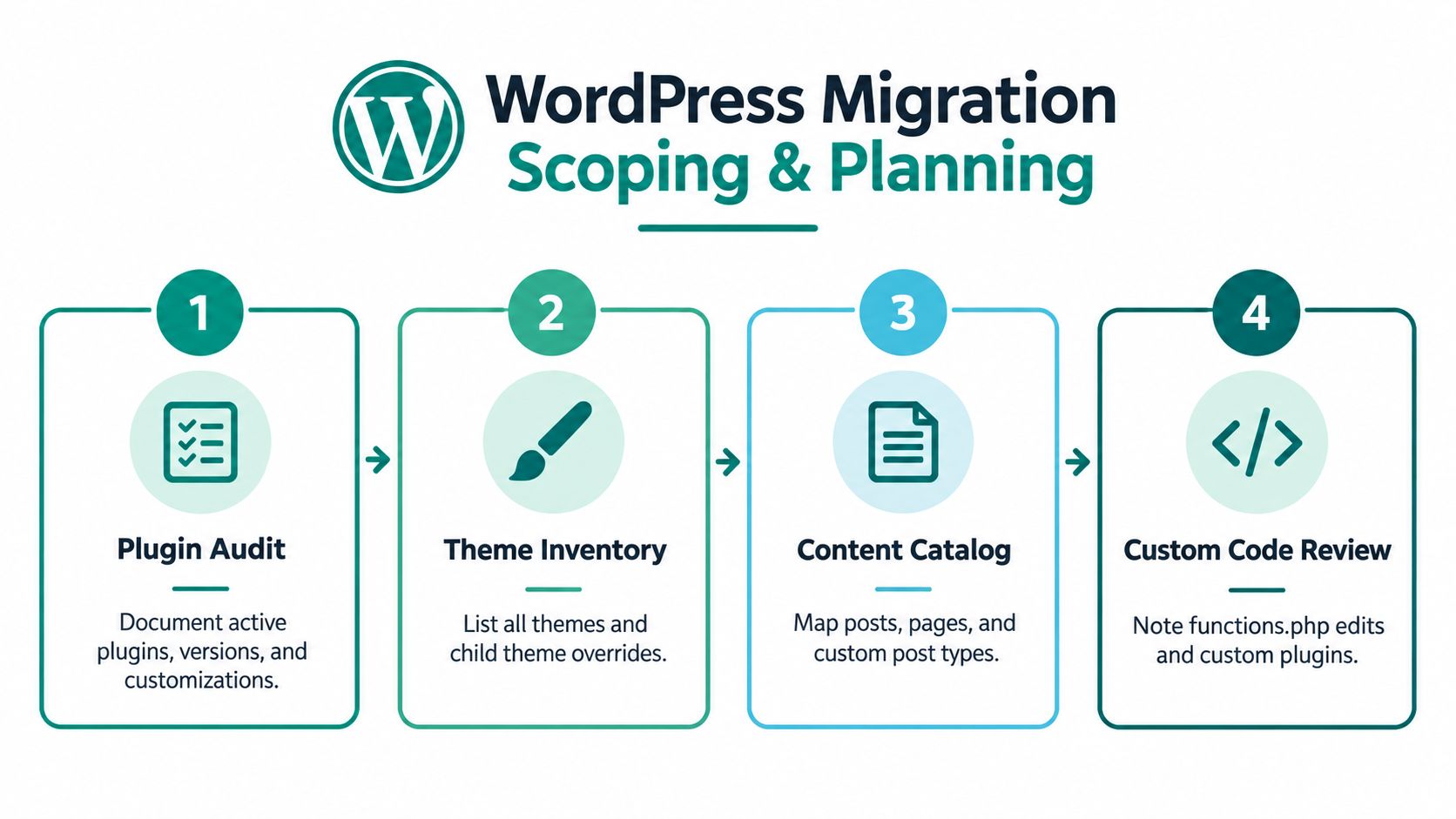
Start with an inventory, not a migration plugin. A WordPress site is rarely just pages, posts and images. It may contain custom post types, scheduled jobs, payment connections, form handlers, theme overrides, external APIs and code that nobody remembers adding.
Build the inventory
Record the following before anyone clones the site:
- Plugins: List active and inactive plugins, versions, licences, settings and customisations. Note which plugin owns SEO fields, redirects, caching, forms and structured data.
- Themes: Record the active theme, parent theme, child theme and template overrides. A child theme can contain important edits that won't appear in the WordPress customiser.
- Custom code: Search
functions.php, mu-plugins, custom plugins and server configuration for bespoke behaviour. Include shortcodes, filters, scheduled tasks and payment logic. - Content: Catalogue posts, pages, products, categories, tags, authors, media, custom post types and attachment URLs. Export a crawl from Screaming Frog or Sitebulb and compare it with the XML sitemap and Google Search Console data.
- Dependencies: Include CRM forms, booking systems, analytics, consent tools, search, reviews, maps, webhooks and third-party scripts.
- Operations: Document cron jobs, backups, staging access, hosting access, DNS access and the people responsible for approval.
UK WordPress data also illustrates why scope needs to reflect commercial risk. One 2026 estimate put the UK at about 1.3 million WordPress-based ecommerce sites, and another reported that roughly 33% of UK WordPress sites used .uk domains. Those figures are published in the UK WordPress market overview. For a shop, a lost product URL or failed payment flow is more than a technical defect.
Define the boundaries
Decide whether the project is a host move, a theme rebuild, a content restructure, a domain change or a combination. Write down what won't change as well as what will. That prevents a hosting migration from becoming a redesign, content rewrite and plugin replacement programme.
Agree the content freeze window. If editors keep publishing while the database is copied, the new site can launch with missing orders, posts or form entries. Ecommerce sites need a specific plan for orders and customer data, not just a generic database export.
Budget according to complexity, not page count. A UK market report placed migration pricing at around £3,000 for a small brochure site and £18,000-plus for sites with custom functionality, ecommerce, member areas or significant content volume. These are historical market signals, not a quote, but they show why an apparently small move can carry a substantial delivery burden.
Turn the findings into one migration brief. It should name the source and destination environments, owners, freeze period, backup location, URL rules, acceptance tests, launch window, rollback trigger and monitoring responsibilities. A useful site migration services reference should cover crawl inventory, mapping, redirect QA and post-launch checks rather than treating the work as a file copy.
Building a Safe Staging Environment and Moving WordPress Correctly
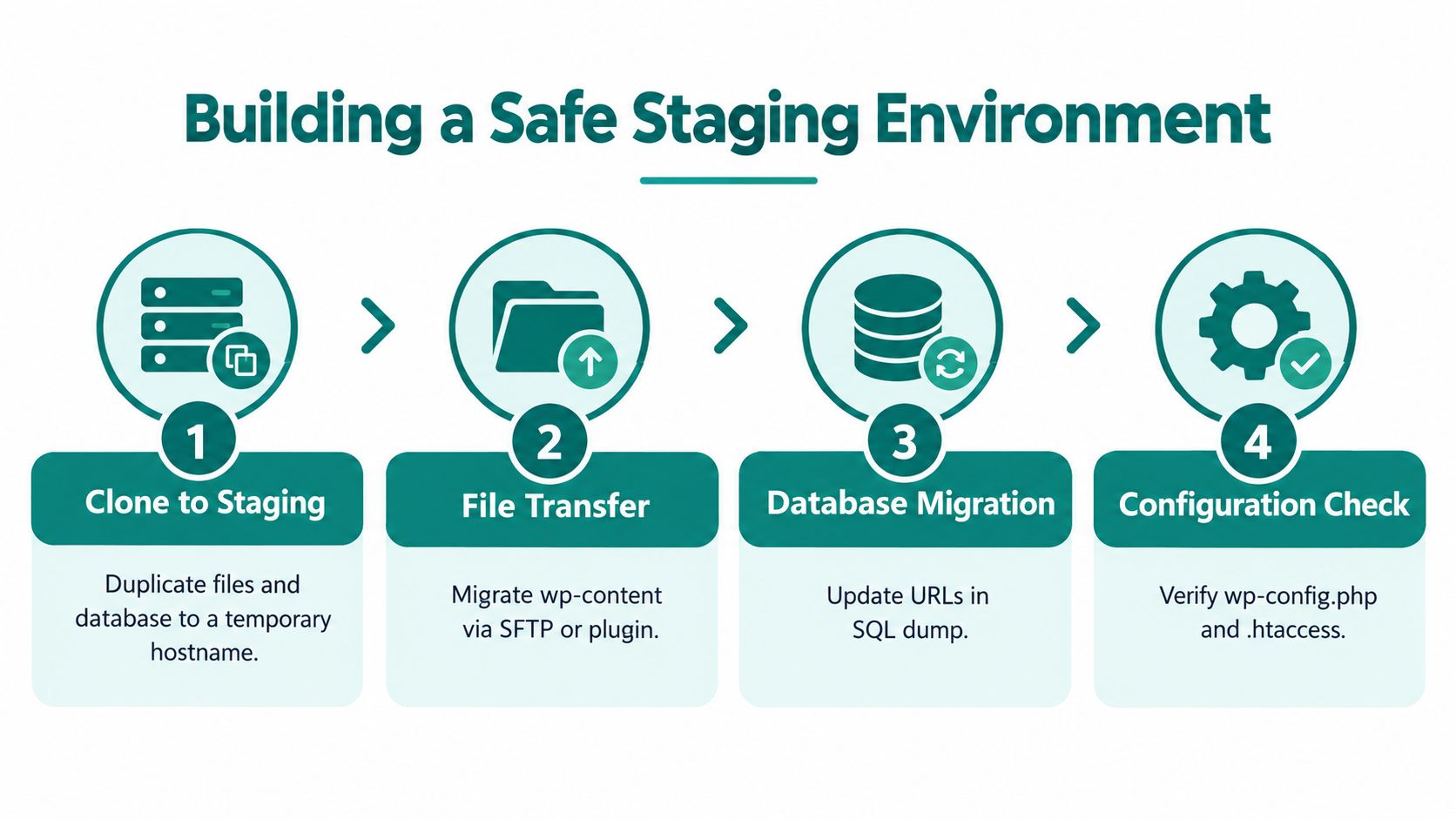
Staging is where the migration becomes testable. I clone the live site to a temporary hostname, protect it from search indexing and keep it separate from the production database. The temporary hostname mustn't be treated as a public preview that search engines can index.
Clone before changing
Take a full backup of the database and files before altering anything. Keep a copy outside the hosting account, and check that the backup can be restored. A backup that has never been tested is an assumption, not a recovery plan.
Move wp-content, including uploads, themes and plugins, alongside the database. Tools such as WP-CLI, SFTP, managed hosting migration tools or a reputable migration plugin can all work. The right choice depends on the size of the site, access available and whether the destination can handle the import cleanly.
WordPress stores URLs in many places, including serialized data. A basic search-and-replace through SQL can damage serialized values, so use a migration tool that understands serialized data or run a controlled replacement with WP-CLI. Test media paths, embedded images, downloadable files and CSS references after the replacement.
Keep the environments comparable
Match PHP, WordPress, theme and plugin versions where practical before testing. If the destination needs upgrades, separate the upgrade from the move or record each change clearly. Combining a host move, PHP upgrade, new theme and major plugin replacements makes diagnosis needlessly difficult.
Store custom code in version control. Even a small Git repository gives you a comparison point and a rollback route for theme and plugin changes. Don't edit production files by hand during the migration unless you record the change immediately.
Run real journeys, not just homepage checks. Submit every important form, test confirmation emails, log in as a member, add products to the basket, apply discounts and complete payment in the appropriate test mode. Check user permissions, search, filters, downloads and any integration that sends data elsewhere.
The WordPress and SEO migration guidance is useful when the technical build and search requirements need to be considered together. A staging site should also be crawled with Screaming Frog or Sitebulb, while browser checks cover responsive layouts and JavaScript behaviour.
Before cutover, lower DNS TTL to 300–600 seconds the day before, then keep the old host live for 7–14 days after launch as rollback protection. This sequence is described in UK hosting migration guidance. TTL affects how quickly DNS changes are refreshed, but it doesn't control every resolver or guarantee instant propagation.
Preserving SEO Through URL Mapping Redirects and Metadata
A migration can lose revenue even when the new WordPress site looks perfect. Ranking pages may disappear, paid landing pages may return errors, and returning visitors may reach the wrong content. Protecting organic performance starts with a URL map built before launch.
Export crawlable URLs from the old site, add XML sitemap URLs, review Google Search Console landing pages, and include important backlinks identified in Ahrefs or Semrush. Map every valuable old URL to the closest relevant new URL. Record the reason for each change so the map remains useful during testing and after launch.
Avoid sending every old page to the homepage. Users may not find what they expected, and search engines receive little evidence that the destination matches the original intent. If no genuine replacement exists, a suitable status response can be better than a misleading redirect.
Create and test the redirect layer
Use server-side permanent 301 redirects when URLs change. Point each old address directly to its final destination. Avoid chains such as old URL to an interim URL to the final page. Check that the destination returns a successful response, has the correct canonical, and remains indexable.
Test the redirect rules before cutover. A redirect crawler or a Screaming Frog list crawl can find missing rules, loops, chains, soft 404s, and incorrect destinations. Use this 301 redirect SEO reference when reviewing how redirect quality affects users and search engines.
Carry forward the signals that describe each page:
- Titles and descriptions: Preserve them where the page intent is unchanged. Improve them deliberately rather than losing them during a template rebuild.
- Canonicals: Confirm that each canonical uses the correct protocol, points to the preferred live URL, and never references staging.
- Structured data: Validate schema for products, articles, organisations, breadcrumbs, and other relevant entities.
- Open Graph data: Check that shared pages still use suitable titles, descriptions, and images.
- Internal links: Replace old paths in navigation, body copy, related content, breadcrumbs, and pagination.
- Sitemaps: Generate an XML sitemap containing only the new canonical URLs.
- Hreflang: Preserve reciprocal language or regional references where used, and verify that every referenced URL exists.
Distinguish the move type
The required SEO work depends on whether the URLs change.
| Migration Type | SEO Action Required | Verification Check |
|---|---|---|
| URL change | Map old URLs to relevant new URLs, implement server-side 301 redirects, update internal links, and submit the new sitemap | Crawl old URLs, test destinations, review indexation, and check for chains or soft 404s |
| Hosting-only move | Point DNS to the new hosting infrastructure while preserving URLs, metadata, and site structure | Test availability, response status, canonicals, crawlability, forms, assets, and analytics |
For a domain change, prepare the URL map, test redirects, submit a Change of Address in Search Console for the old site, and submit the new sitemap. Keep redirects in place for as long as possible, generally at least 1 year, following Google's site move documentation. A quiet first week is not a reason to remove them.
Launch Day Checklist DNS Email and Rollback Plan
Launch day should follow a written sequence. Improvisation creates gaps, particularly when the person changing DNS isn't the person checking forms, email or analytics.
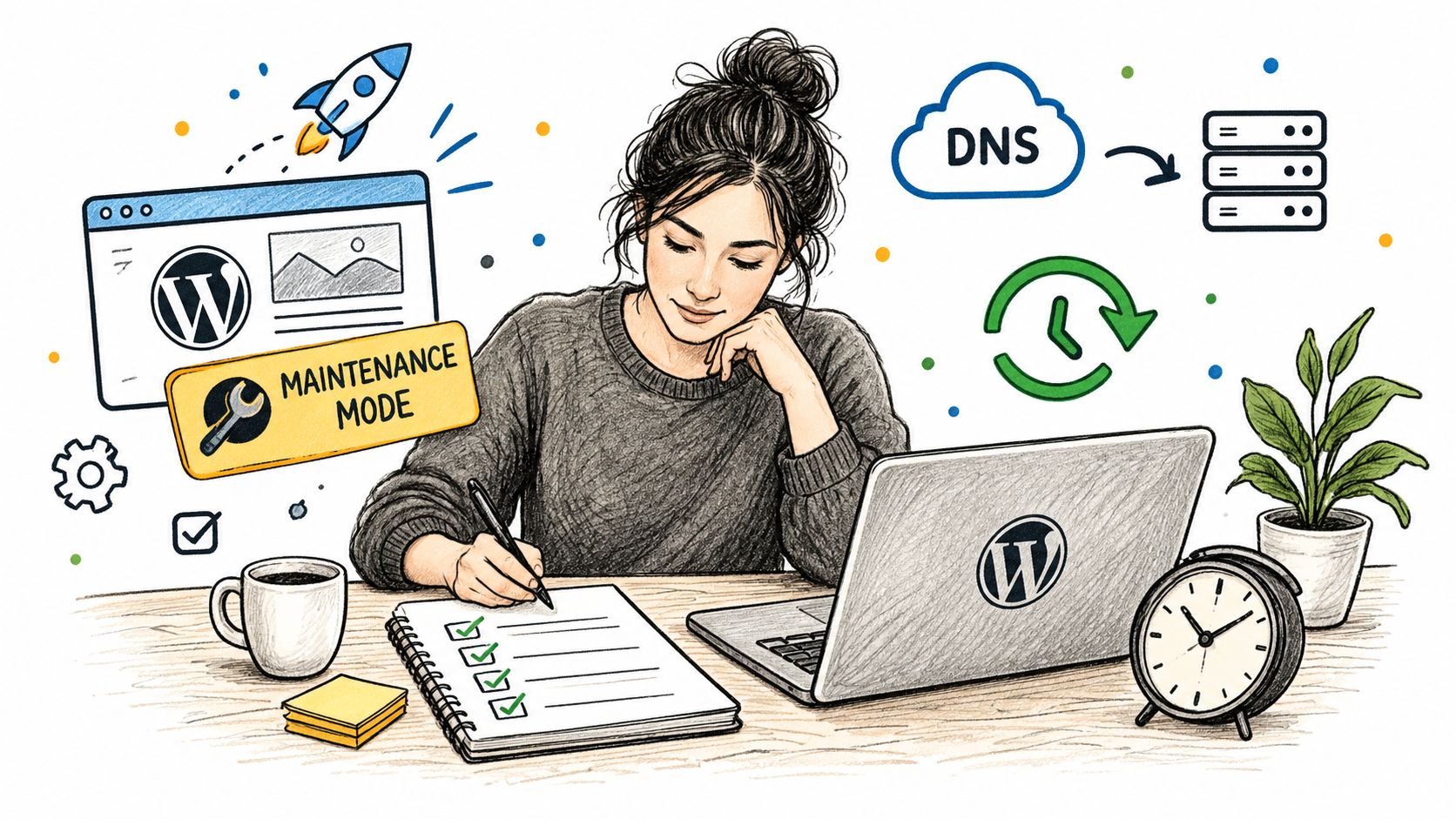
Start with the final database and file backup. Confirm the destination has the latest content, orders and configuration, then record the exact time of the backup. If the site needs a short maintenance window, show a clear message and avoid leaving a half-completed transaction in progress.
Work through the cutover
Use this order:
- Lock the source: Pause publishing and confirm the final backup.
- Refresh the destination: Transfer any final database or media changes and confirm configuration values.
- Activate the domain: Update DNS to the new infrastructure after confirming the destination is ready.
- Check HTTPS: Verify the certificate, redirects from HTTP and the preferred hostname.
- Purge caches: Clear WordPress, server, CDN and browser cache layers where relevant.
- Test business paths: Check the homepage, key landing pages, forms, login, checkout, payment confirmation and downloads.
- Test email: Send a contact form, confirm receipt at the business mailbox and test transactional messages. Check that MX, SPF and other mail-related records haven't been altered accidentally.
- Record results: Log the checks, timestamps, defects and decisions in the migration brief.
Email deserves its own line in the checklist. A site can appear healthy while enquiry emails disappear because DNS records, SMTP settings or a third-party sending service weren't included in the move. UK migration checklists also highlight the need for admin access, complete backups, DNS updates and post-launch verification of forms, checkout and email delivery. The UK website migration guidance from Hostinger covers this supporting infrastructure risk.
A migration isn't complete when the homepage loads. It's complete when a customer can find, buy from and contact the business.
Define rollback before launch. If checkout fails, critical forms don't deliver, the site serves the wrong content or serious crawlability problems appear, switch DNS back to the old host and keep the incident log. Don't make repeated unrecorded changes on both environments, because that creates conflicting data and makes recovery harder.
Post Launch Testing Monitoring and Fixing Issues Fast
The first checks should combine technical crawling, search data and business outcomes. Resubmit the XML sitemap immediately after go-live, inspect Search Console for indexing and crawl errors, and crawl the live site with the same tool used before the move.
Check redirect performance from a sample of high-value URLs and from the complete redirect list. Look for 404s, redirect chains, canonical mismatches, blocked resources, mixed content, broken images and pages that accidentally carry staging directives.
Use a fixed monitoring cadence
Monitor crawl errors, indexing, redirects, organic traffic and conversions daily for the first two weeks, then weekly for two months, following the cadence in UK-focused post-migration guidance. Compare like with like, and annotate the launch in analytics so normal reporting doesn't hide the cause of a change.
Recheck Core Web Vitals within 24–48 hours after launch. Cache configuration, image handling, fonts, scripts and CDN behaviour can differ between hosts even when the WordPress build is identical.
Prioritise fixes by commercial consequence:
- First: Restore checkout, lead forms, login and email delivery.
- Next: Repair redirects, indexation controls, canonicals and sitemap errors.
- Then: Resolve templates, media, JavaScript, cache and performance regressions.
- Finally: Clean up lower-value broken links and presentation defects.
Keep the old host available for the agreed rollback period and don't delete the source backup when the launch appears stable. A plain-English report should state what changed, what was tested, which issues remain and what evidence supports the conclusion that the migration held.
The durable lesson is that migration quality comes from sequencing. Inventory reduces surprises, staging makes the move testable, URL mapping protects discoverability, DNS and email checks protect operations, and monitoring proves whether the new site works for both visitors and search engines.
Sibley Digital provides WordPress migration planning, crawl inventory, URL mapping, redirect QA and post-launch monitoring for rebuilds and hosting moves. If you're preparing a migration and want a senior practitioner to protect search performance and business-critical journeys, visit Sibley Digital.